Deploy
Schedule workflows to run on a routine basis or conditionally. Automatically pull data from ERP and other source systems. Publish model results to consumers.





Create & Run Workflows
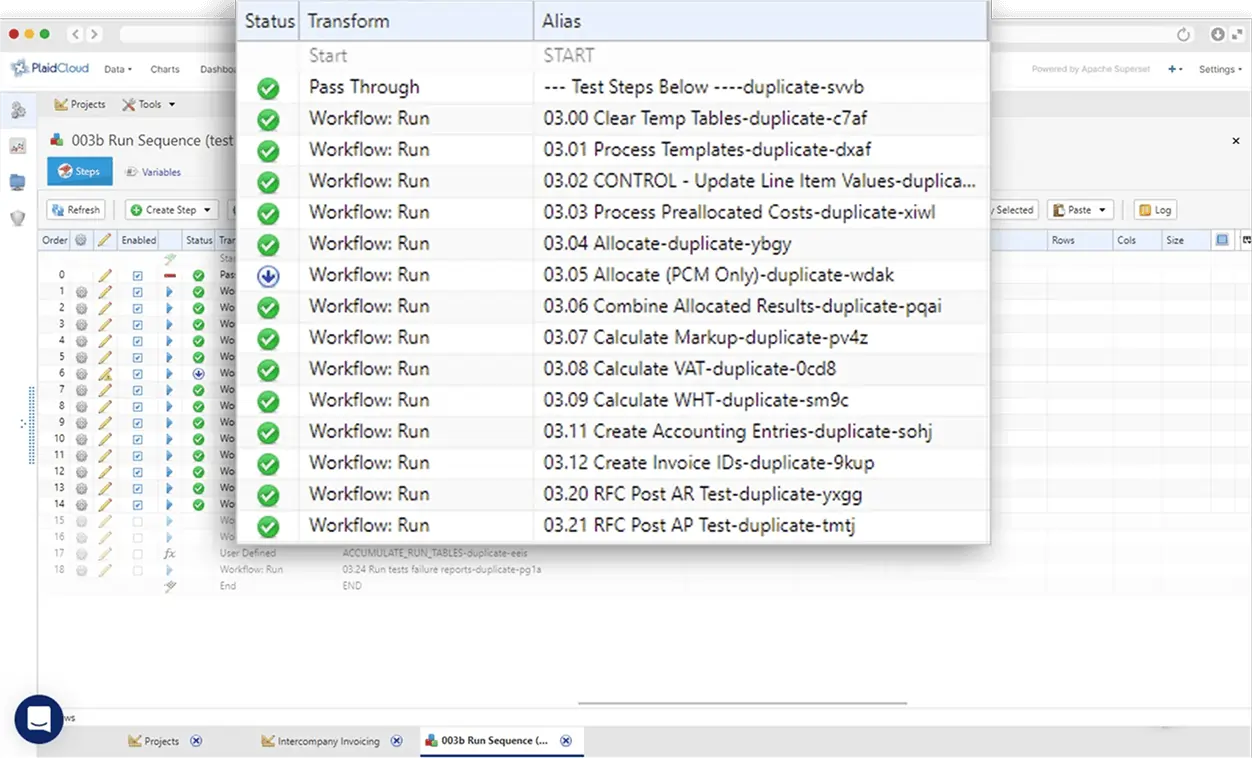
Sequence steps into workflows with ease.
- Workflows are designed via point-and-click interface
- Reuse data transformations across multiple workflows
- Nest workflows and handle exceptions gracefully
Automate or Run as Needed
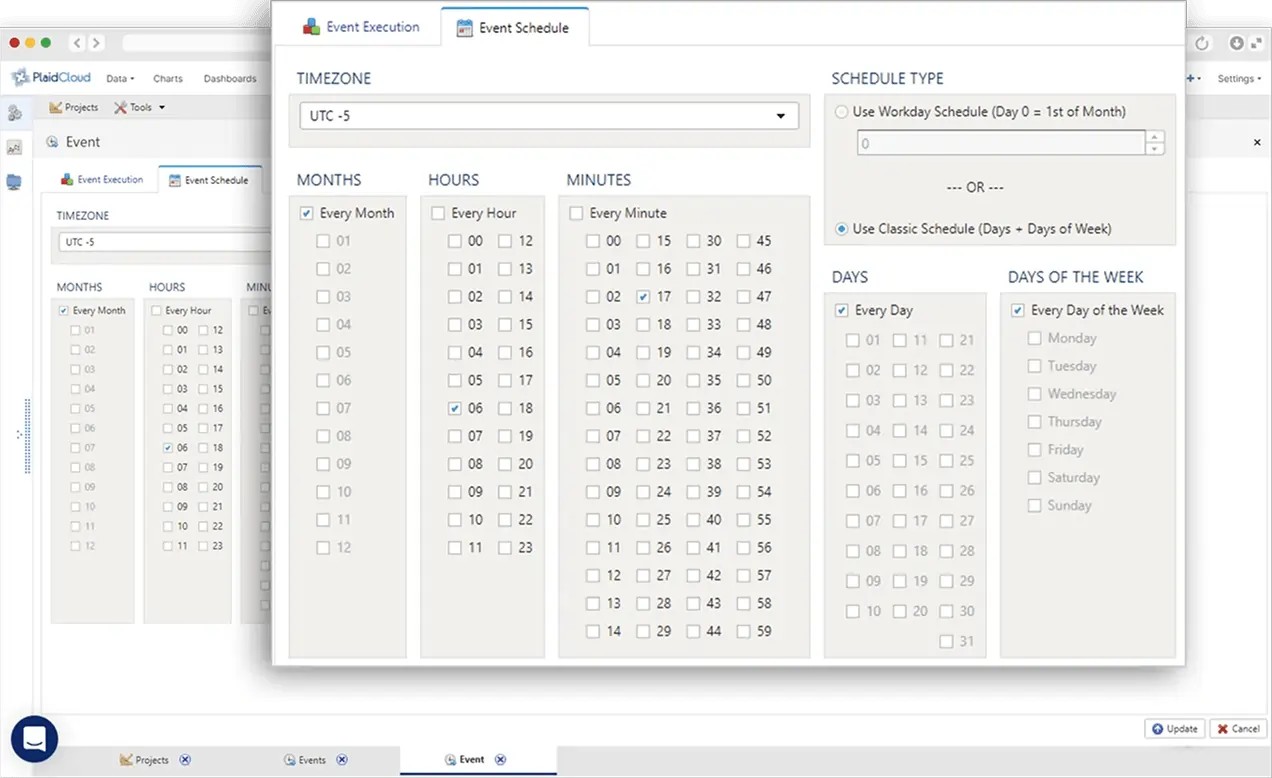
Full automation is possible, as is on-demand or conditional triggering.
- Automatically trigger workflow events based on sensors
- Create schedules to trigger workflows based on time, day, and month
- Control when workflows and steps execute using conditions
Set & Use Variables
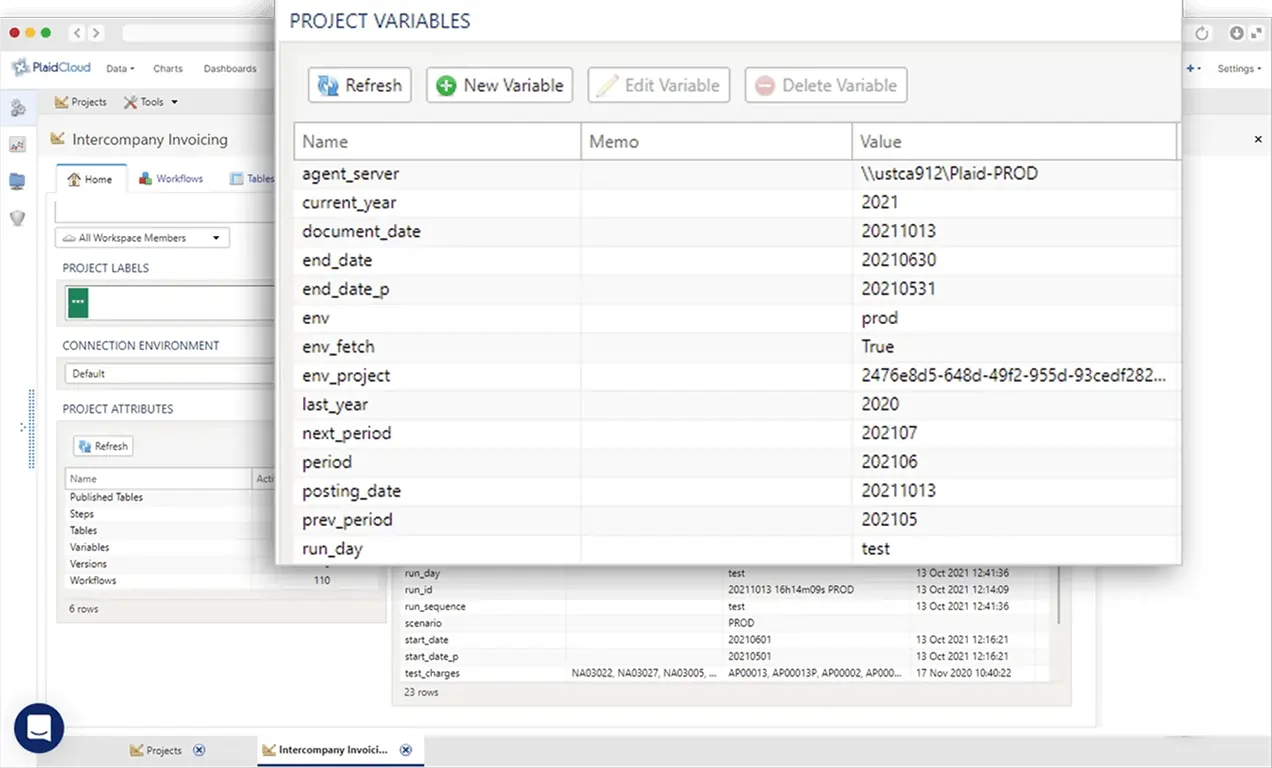
Variables enable dynamic parameters within workflows and configurations.
- Variables enable powerful and dynamic flexibility throughout PlaidCloud
- Set and use variables for everything from field values to file and table names
- Control workflow execution through conditional variable values
Frequently Asked Questions
What is deployment management in PlaidCloud?
Creating, sequencing, and running workflows: you chain steps into workflows, run them on demand or on schedules, and manage the variables and settings each run uses.
Can workflows run on a schedule?
Yes. Workflows can be automated on schedules or triggered as needed, so recurring processes like monthly allocations run without manual effort.
What are variables used for?
Variables parameterize workflows, for example period, entity, or scenario, so one workflow definition serves many runs without duplication.
How do we monitor runs?
Each workflow shows live run status and history, so you can see progress, catch failures early, and confirm completion before downstream steps depend on the results.
Insights