
PlaidCloud Text Alerts: How Members Opt In
How PlaidCloud users opt in to workflow text alerts, with the consent disclosure and a sample message.
PlaidCloud workflow text alerts are sent only to people who opt in themselves. Opt-in happens inside the PlaidCloud web app, behind login: user menu, then Text alerts. Each person opts in for their own number. Workspace admins cannot opt anyone in.
How to opt in
Enter a U.S. mobile number.
Check the box “I agree to receive PlaidCloud workflow text alerts at this number.” The box is unchecked by default. The disclosure shown next to it reads:
PlaidCloud sends text alerts about the workflows you or your workspace set up. Message frequency varies. Message and data rates may apply. Reply HELP for help or STOP to opt out at any time. Consent is not a condition of any purchase. US mobile numbers only. Don’t use text alerts for health or financial personal data. Questions: support@plaidcloud.com.
The disclosure links to the SMS Terms and the SMS Privacy Policy.
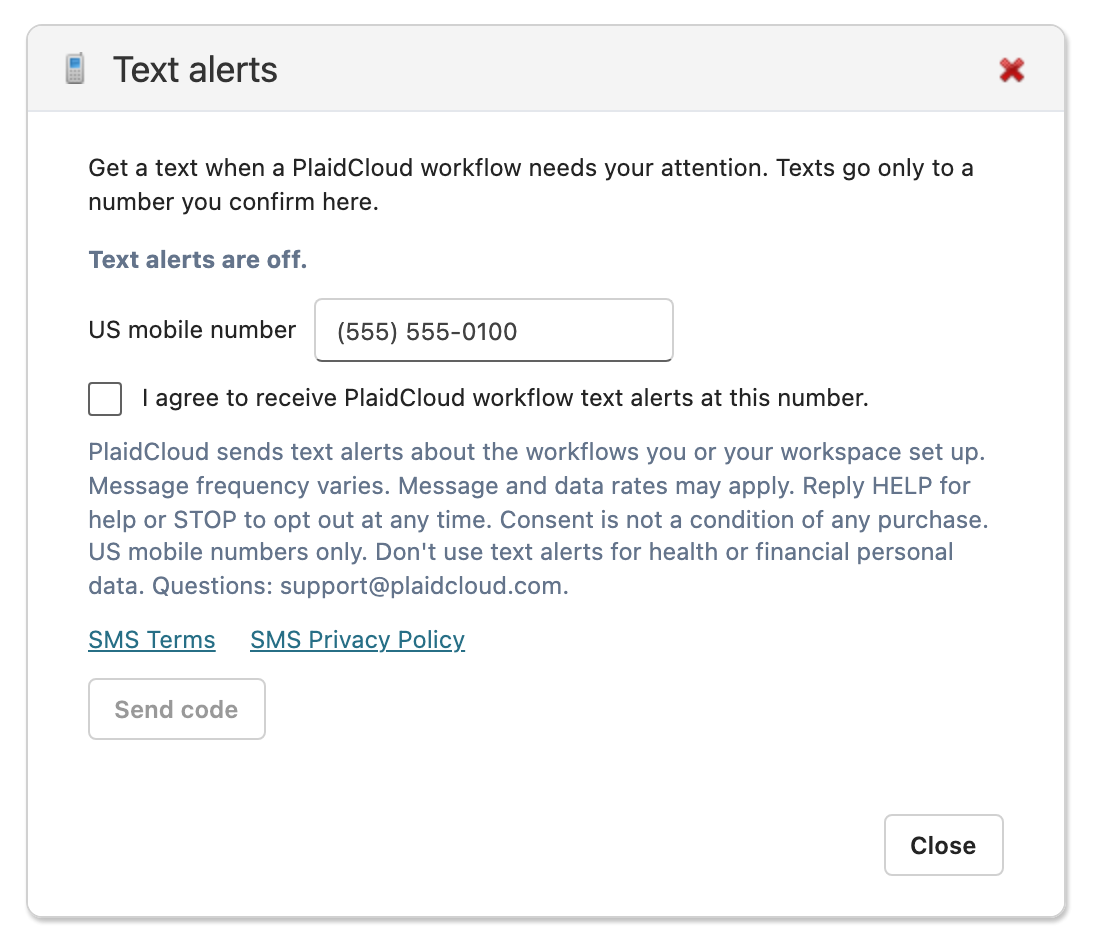
Select Send code. PlaidCloud texts a 6-digit confirmation code to the number.
Enter the code and select Confirm.
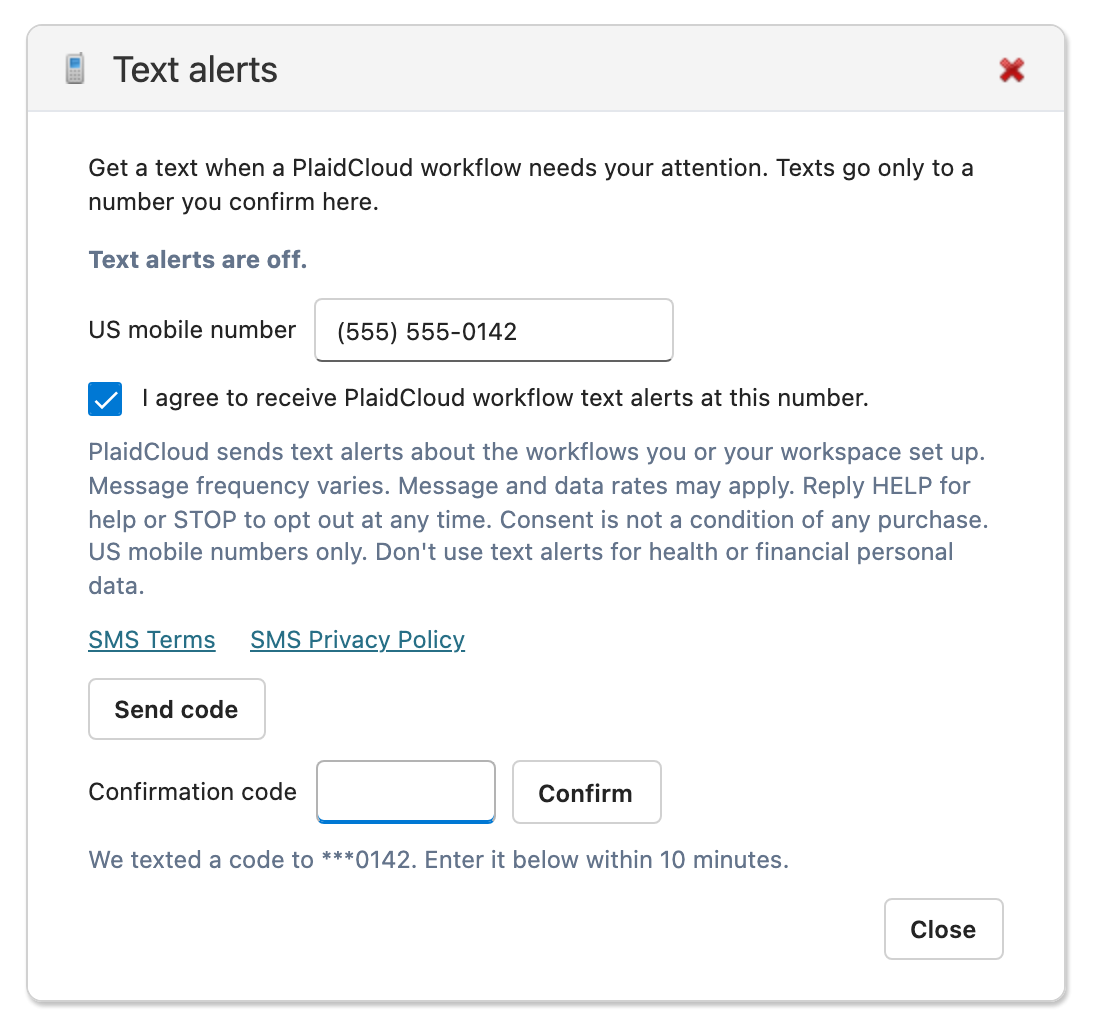
Texts go only to confirmed numbers. To opt out at any time, reply STOP to any message or turn text alerts off in the same dialog.
Sample message
Confirmation code (sent when a member opts in):
PlaidCloud: your code is 482913. You’ve opted in to PlaidCloud workflow alerts. Msg & data rates may apply; frequency varies. Reply HELP for help, STOP to opt out.
Workflow alert:
PlaidCloud [Acme Finance]: Workflow “Monthly Close” failed at step “Load GL”. Details: https://app.plaidcloud.com/…
Program documents
See it on your data
Tell us about your ERP and goals. A PlaidCloud specialist will follow up to walk through what PlaidCloud surfaces that your current reporting can't.